
LumaPrint — User Manual
LumaPrint is a native 16-bit Fine-Art print layout, live softproofing, and Advanced B&W studio for Linux (Wayland & X11).
Modeled after the workflow of Epson Print Layout and Qimage / Mirage, LumaPrint bridges the gap between raw/image editors (Darktable, RawTherapee, GIMP) and high-end photo printers — with deep hardware integration for the Epson SureColor SC-P900 and SC-P700 alongside universal support for any installed CUPS printer.
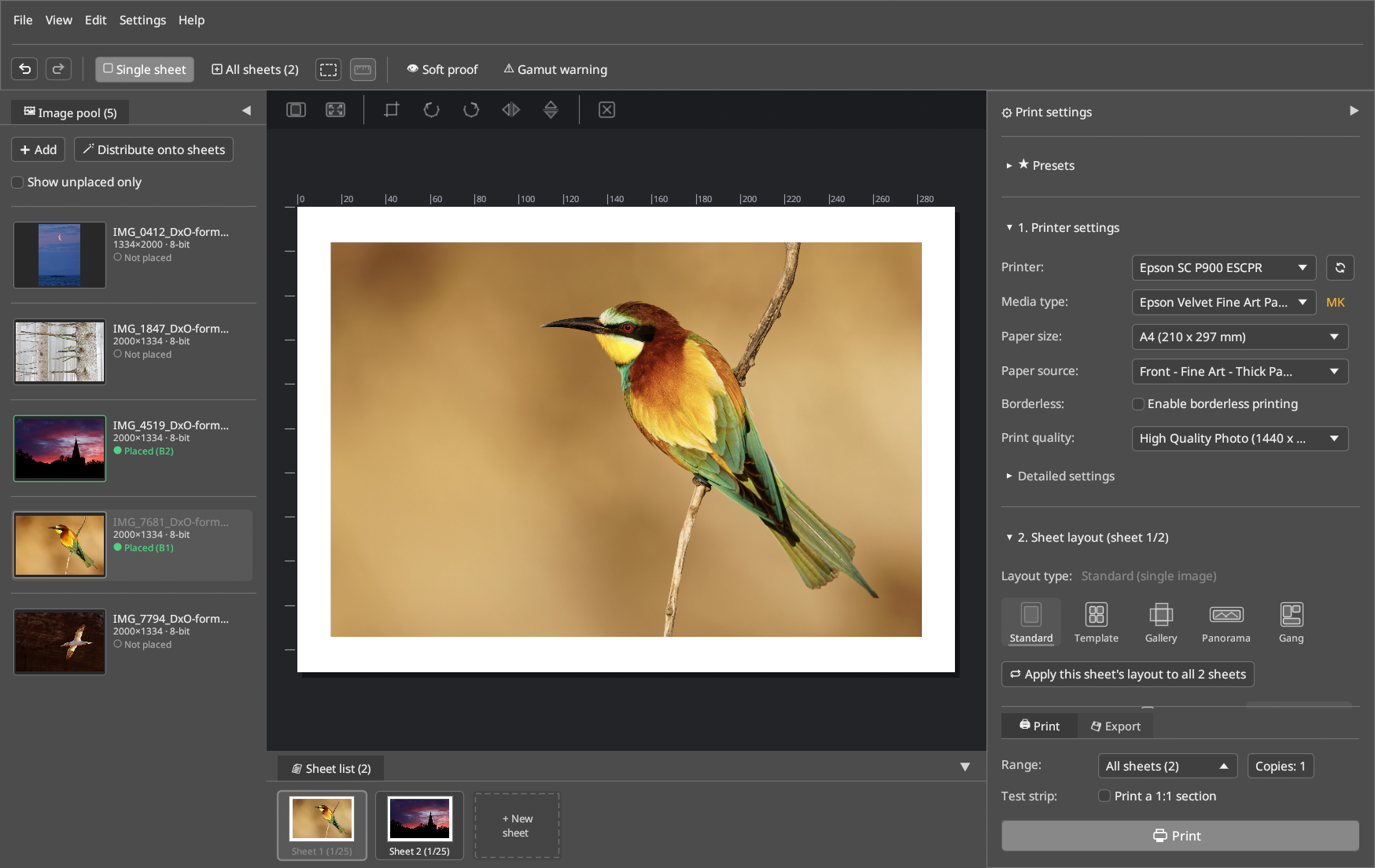
What Can LumaPrint Do?
- End-to-End 16-Bit Color Pipeline: Loads 8-bit and 16-bit TIFF, PNG, JPEG, and WebP images (preserving embedded
sRGB,Adobe RGB (1998),Display P3, orProPhoto RGBprofiles) and renders print sheets at native printer resolution (360/720/1440DPI) using Catmull-Rom bicubic interpolation and Floyd-Steinberg 16→8-bit dithering. - Five Specialized Print Layout Modes:
- Standard (Single Image): Exact millimeter/inch margins or target print dimensions, optical/mathematical centering, passepartout frame lines, and corner cut marks.
- Template (Multiple Images): Up to 25 slots per sheet, built-in EPL Theme layouts, and a 2-stage interactive Template Studio for custom Bento/contact sheets.
- Gallery Wrap (Canvas Stretcher Frame): Configurable stretcher bar depth + back-fold extension with mirrored, blurred/shaded, or solid-color wrap borders and corner fold marks.
- Panorama (Roll Paper & Banners): Custom roll widths and banner lengths up to 3.2 meters.
- Gang Sheet (Auto-Nesting): Automatically packs multiple images of different physical sizes onto sheets or roll paper to minimize paper waste.
- Multi-Sheet Workflow & Light-Table View: Manage up to 25 print sheets in a single session, drag images between the Image Pool, Sheet List, and All Sheets Overview (
Ctrl+2), and auto-distribute pool images across sheets with one click. - Color Management & Live Softproofing:
- ICC Paper Profiles: Relative Colorimetric, Perceptual, Saturation, and Absolute Colorimetric intents with Black Point Compensation (BPC) and automatic driver color-correction lock (
NoColorAdjustment). - Printer Automatic (
Adobe RGB/sRGB): Sends wide-gamutAdobe RGB (1998)(LUT 0x06, matching Epson Print Layout) orsRGBdirectly to the printer driver. - Live Softproof (
Ctrl+Shift+S): Real-time paper white & matte black simulation (D50 5000K,D55,D65,Tungsten) and out-of-gamut warning (Ctrl+Shift+G), with native Wayland/KWin wide-gamut surface tagging (wp_color_manager_v1). - Advanced B&W Photo (
ABW): Interactive 2D color toning wheel (Neutral,Cool,Warm,Sepia, or custom coordinates), midtone density, shadow/highlight tonality, maximum optical density, and highlight point shift. - Seamless Custom Media (
epmi) Integration: Automatically discovers custom Fine-Art papers and ICC profiles installed by EP Media Installer (epmi).
What Is It Not?
- Not a RAW developer or retouching suite: Develop your RAW files in Darktable, RawTherapee, or Lightroom first, then export 16-bit TIFFs (e.g. in
Adobe RGBorProPhoto RGB) into LumaPrint for layout, softproofing, output sharpening, and printing. - Not a printer driver by itself: LumaPrint spools rasterized print jobs through CUPS. For the Epson SureColor SC-P900, pair it with epson-p900-escpr-cups for full 10-channel hardware control (
PK/MK, Carbon Black, Black Enhance Overcoat, platen gap, and custom NVRAM slots).
Manual Chapters
- Quickstart & Typical Workflow — Installing LumaPrint, your first Fine-Art print in 4 steps, and CLI usage.
- Main Window, Image Pool & Docks — Workspace areas, direct canvas manipulation, cropping, multi-sheet navigation, and dock customization.
- Layout Modes & Template Studio — Standard, Template (2-stage Template Studio), Gallery Wrap, Panorama, and Gang Sheet modes.
- Printer, Media & Paper Feed — CUPS printer discovery, media constraints (
PK/MK), paper feed paths, and custom media (epmi). - Color Management, Soft Proof & Advanced B&W — ICC paper profiles, rendering intents, live softproofing, Wayland wide-gamut, and Advanced B&W Photo (
ABW). - Fundamentals: Color Spaces & ICC Profiles Explained — Background guide on
sRGBvs.Adobe RGBvs.ProPhoto RGB, printer LUTs vs. ICC profiles, and base media types. - Pro Features, 16-Bit Export & IPP Ink Levels — Gang sheet auto-nesting, 1:1 test strips, output sharpening, 16-bit TIFF/PNG sheet export, and IPP ink monitoring.